How Can We Help?
Understanding aNinja Settings
Manage your personal and system-wide preferences in aNinja to tailor the platform to your workflow and business needs.
How to Access Settings
-
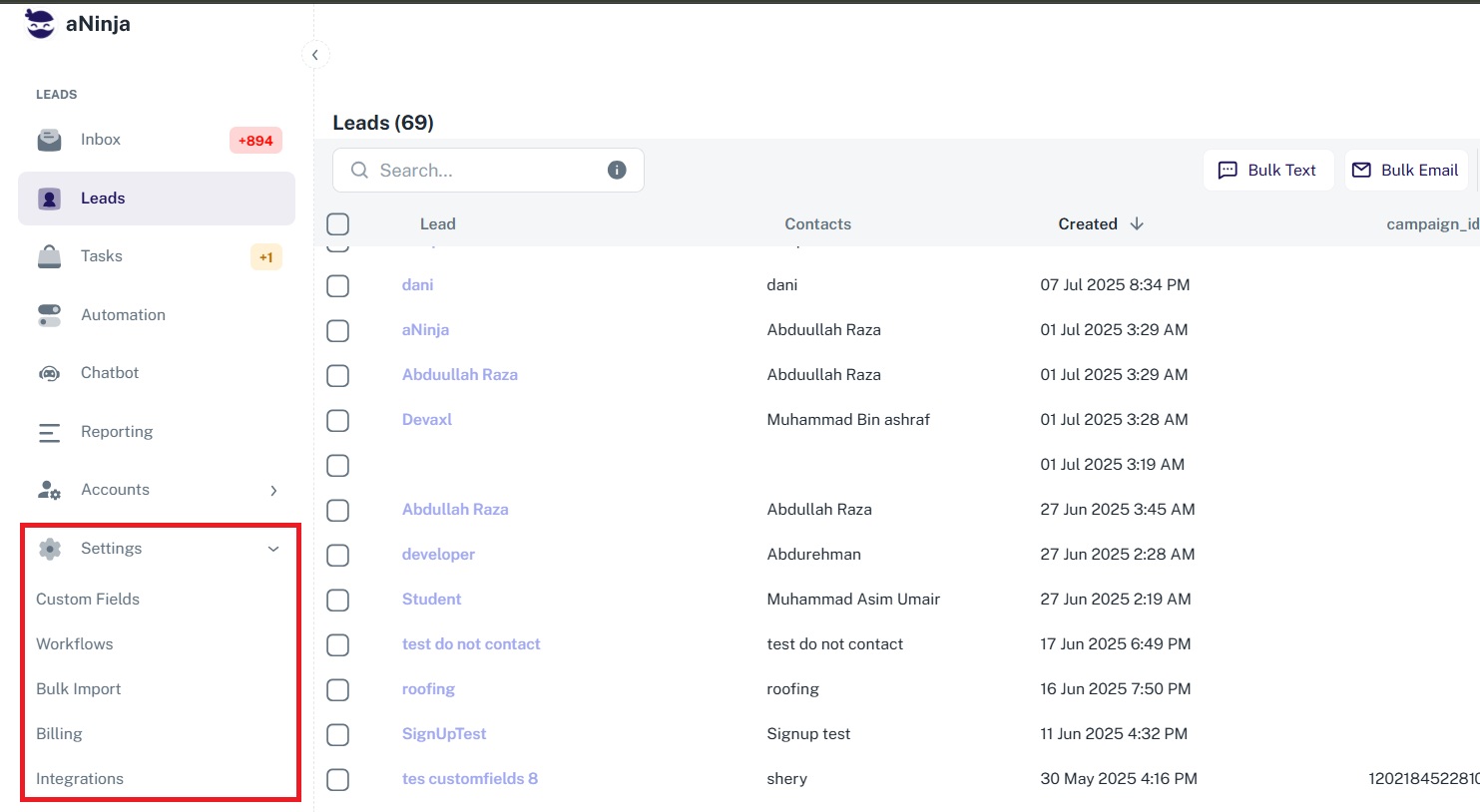
From the left sidebar, click on Settings to expand a dropdown that includes:- Custom Fields
- Workflows
- Bulk Import
- Billing
- Integrations
-
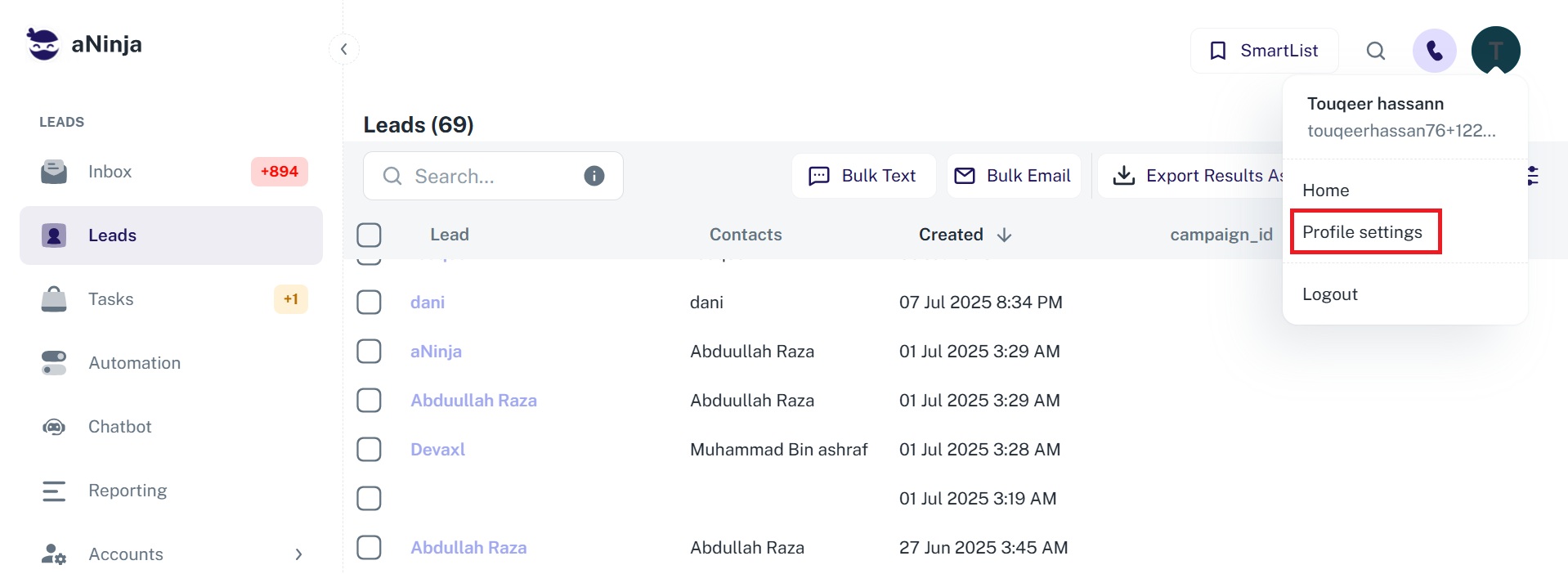
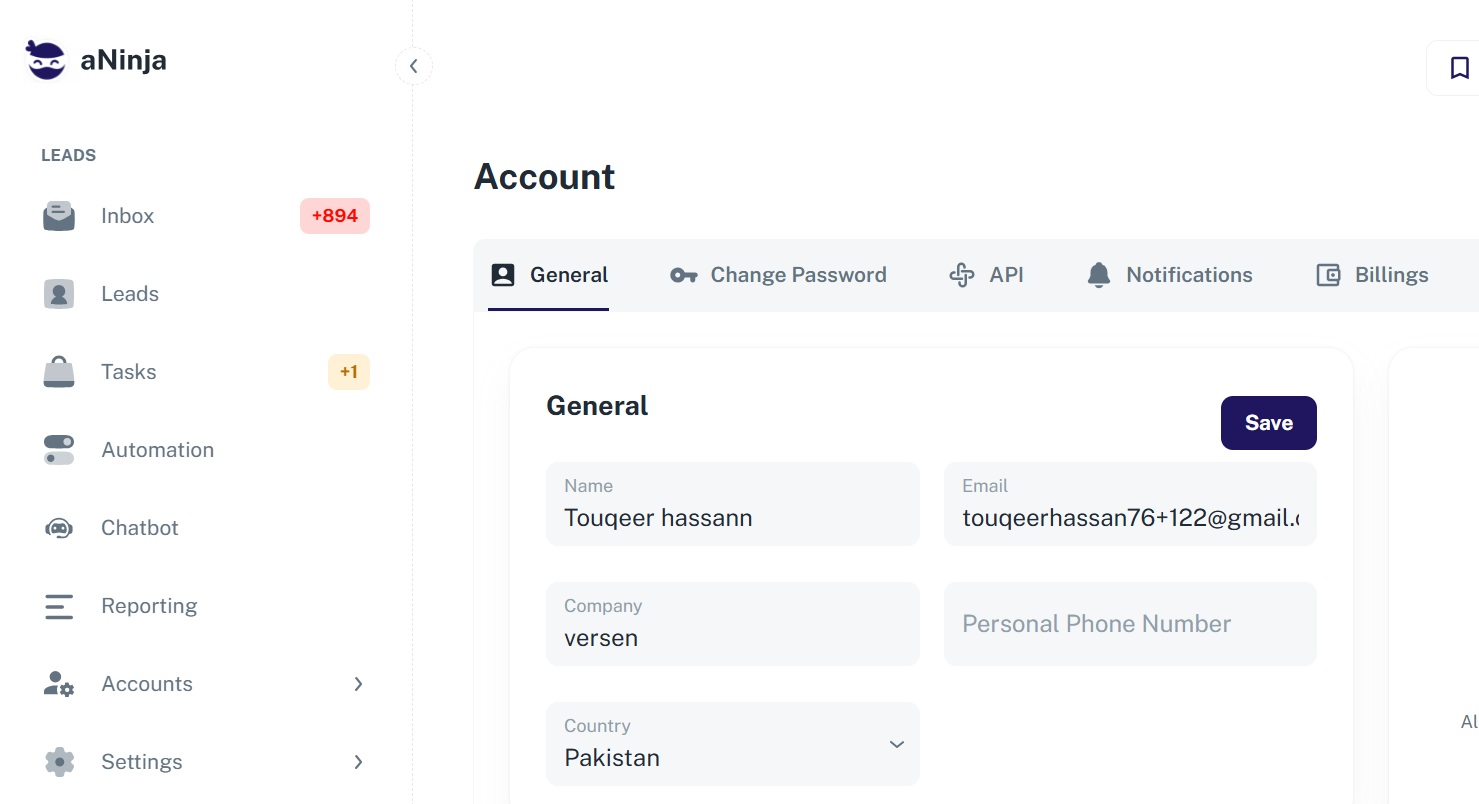
Alternatively, click on your name in the top-right corner of the screen and select Profile Settings from the dropdown menu. This gives you access to:
- General Settings
- Change Password
- API
- Notifications
- Billing
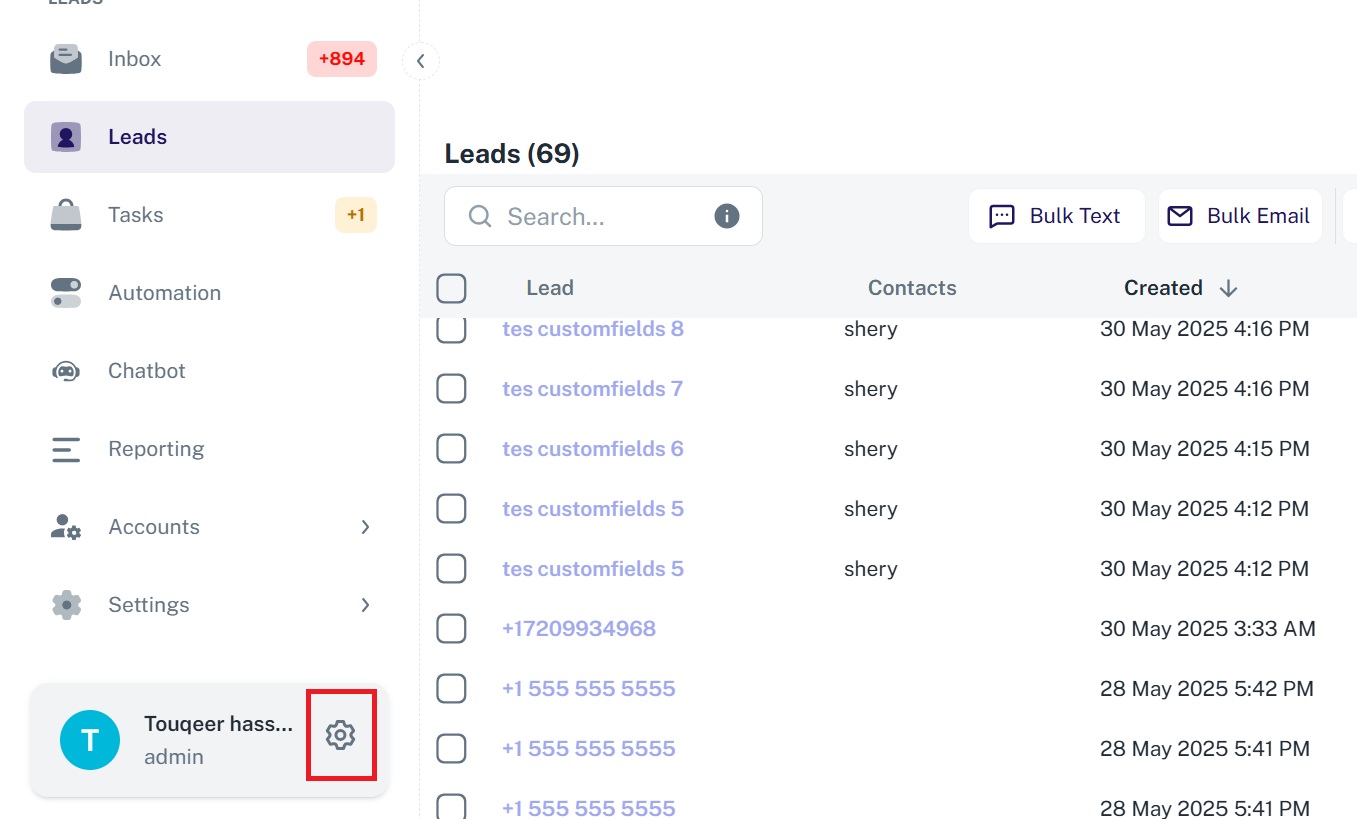
You can also access this via the gear icon at the bottom-left corner of the screen.
What You Can Manage in Settings
aNinja’s Settings let you configure everything from data structure (custom fields) to workflow automation and integrations. Whether you’re adjusting system behavior or personal preferences, it’s all there.
If you need help configuring your settings, feel free to reach out to us at [email protected].