How Can We Help?
Launching Bulk Text Sequences
Launching bulk text sequences means sending a series of automated messages to a group of leads at once using a text automation system. You can also launch a sequence to a bulk import list. Text sequences help automate repetitive communication, and can be triggered or scheduled as needed.
Launching a Bulk Text Sequence to All Leads
- Click Leads in the left sidebar.
- At the top, click the Bulk Text button (slightly right of center).
- Under Text Sequence, select the sequence you’d like to send.
- Click Launch Bulk Sequence.
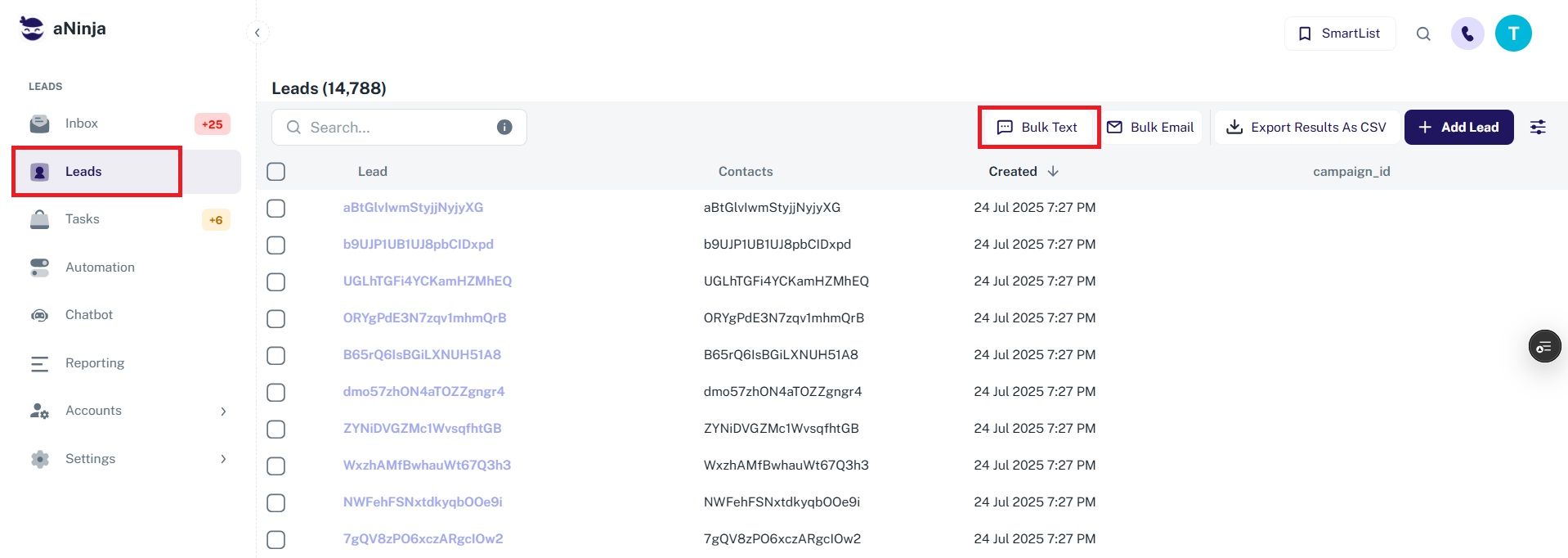
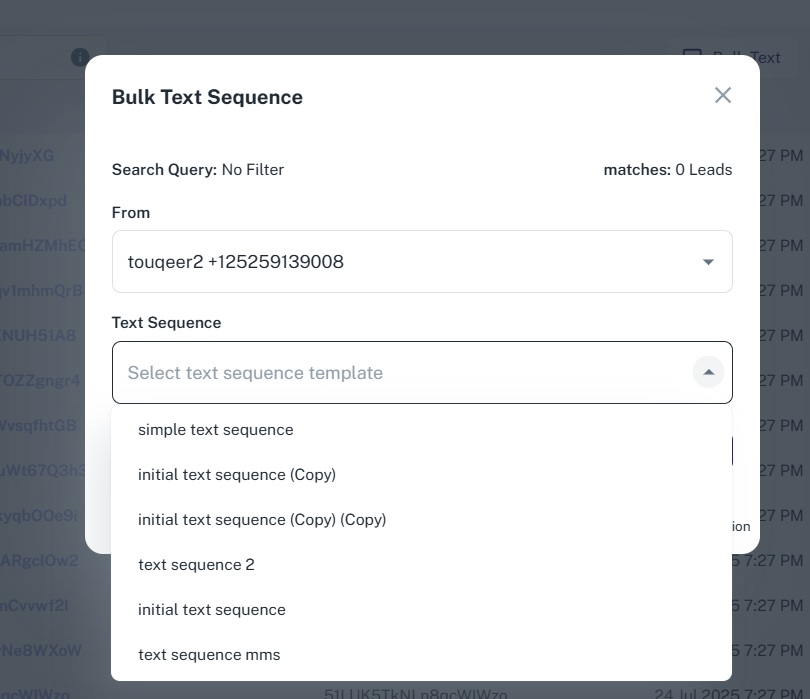
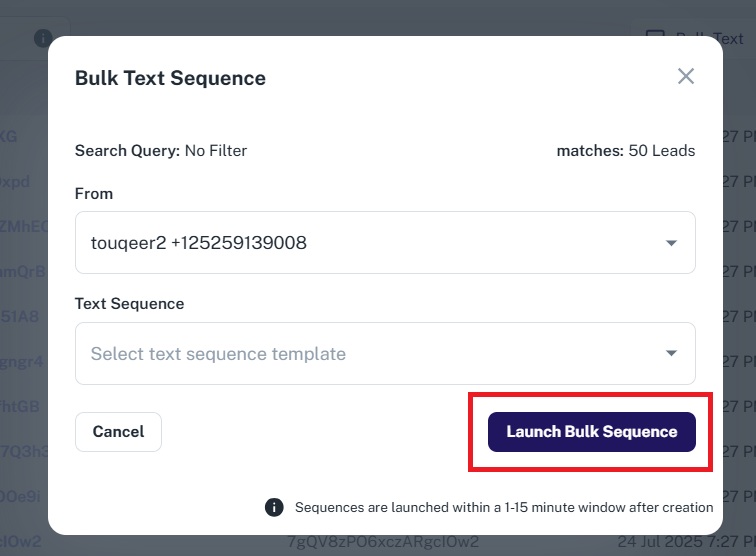
An alert will display the number of leads without phone numbers. Click the count to review them.
Launching a Bulk Text Sequence to a Group of Leads
- Use the top navigation bar to run a search query or load a Smartlist to filter your leads.
- Click the Bulk Text button at the top.
- Select the desired Text Sequence.
- Click Launch Bulk Sequence.
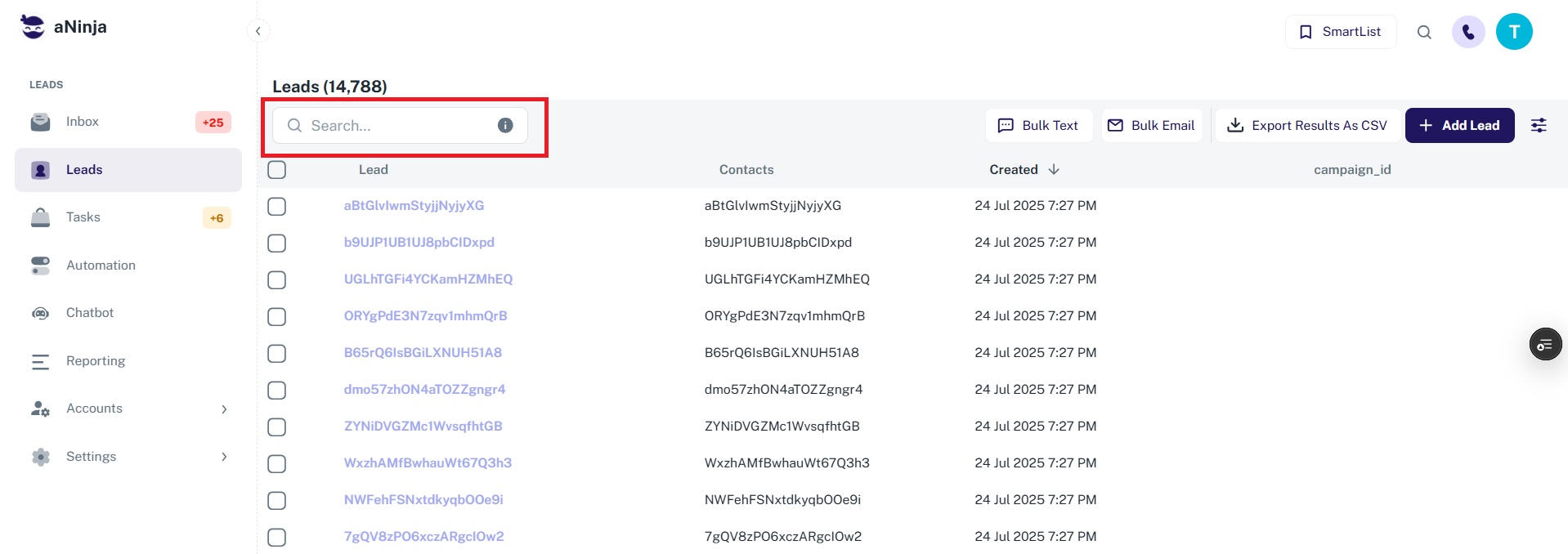

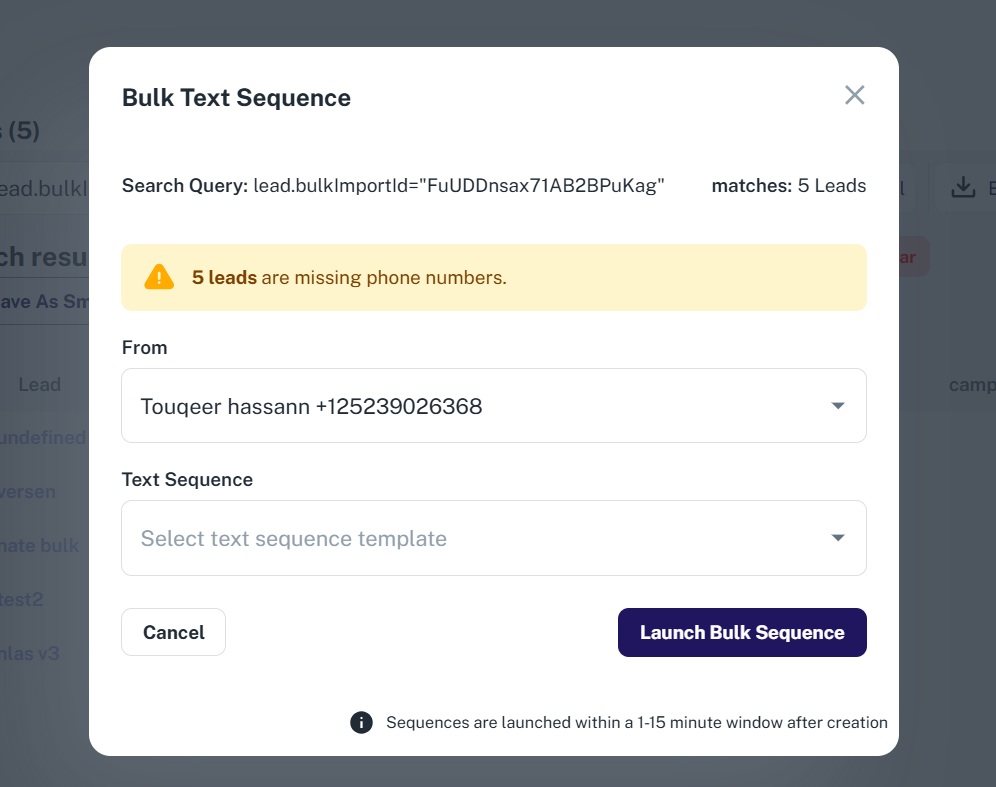
Again, an alert will show the number of leads missing phone numbers.
Launching a Text Sequence to a Single Lead
You can also launch a text sequence to one lead directly from their lead view by clicking the Text Sequence option and selecting a sequence configuration.
Tracking a Text Sequence
After launching, track the status of your sequence in the “Bulk Sequences” Dashboard Widget.
Expired Text Sequences
Queued text steps expire if they remain unsent for more than 36 hours after their scheduled launch time.
Stopping a Text Sequence
- Use the Bulk Sequences Dashboard widget to stop a sequence, if it has a delay of 1 day or more.
- To stop it for a single lead, go to their lead view and stop it from the Active Text Sequence section. This only affects that individual lead.