How to Connect Your Calendly with aNinja Account
Created On
Last Updated On
byamber
Step 1: Generate Your Calendly Personal Access Token
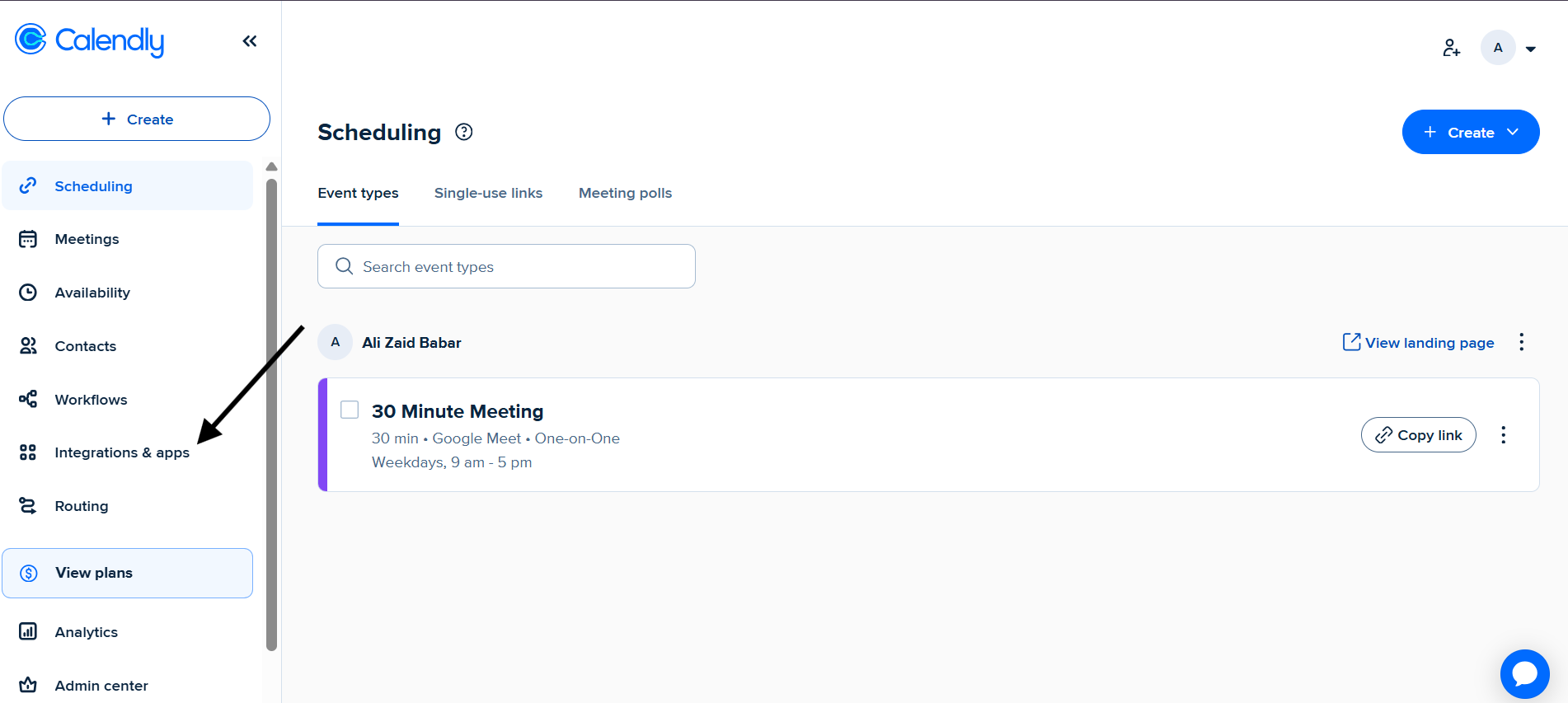
Log in to your Calendly dashboard.
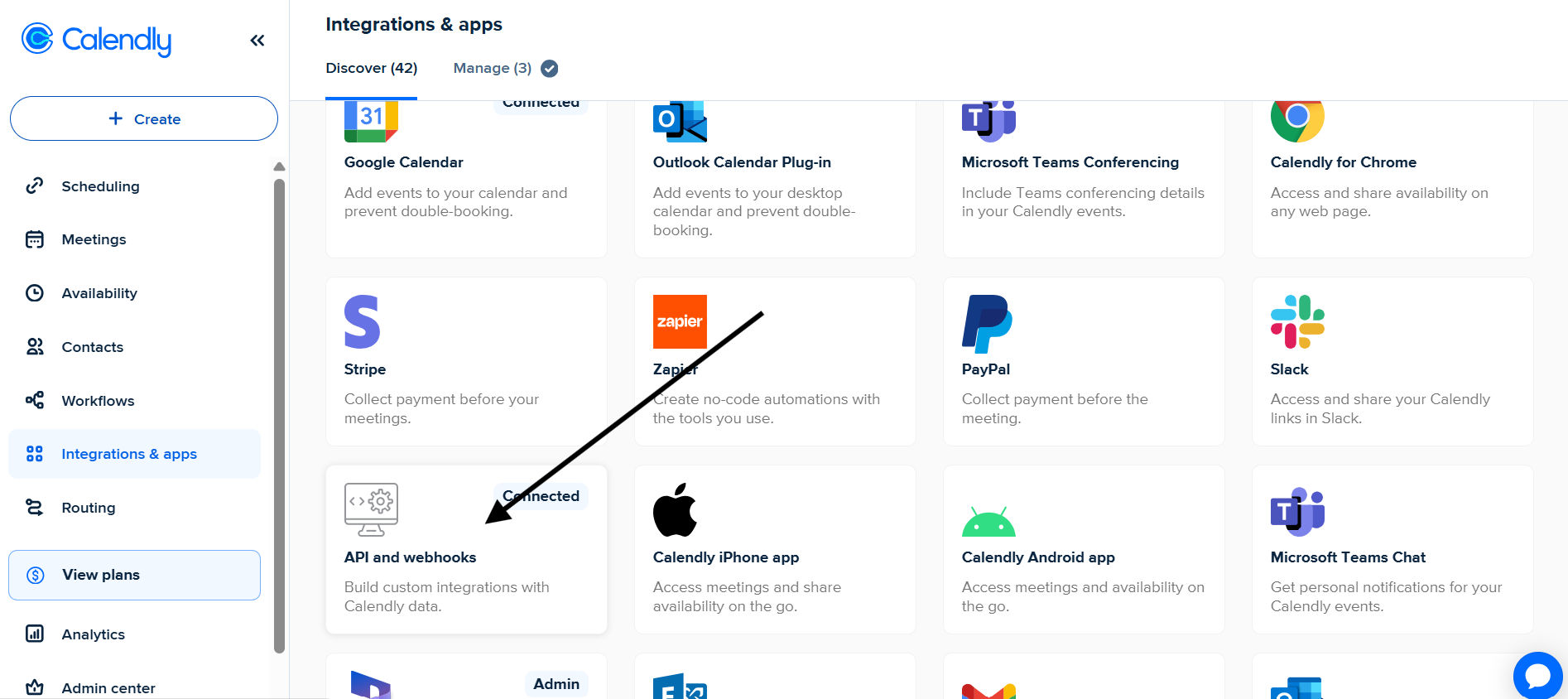
Go to Integrations & Apps from the left-hand menu.
Scroll down to API & Webhooks.
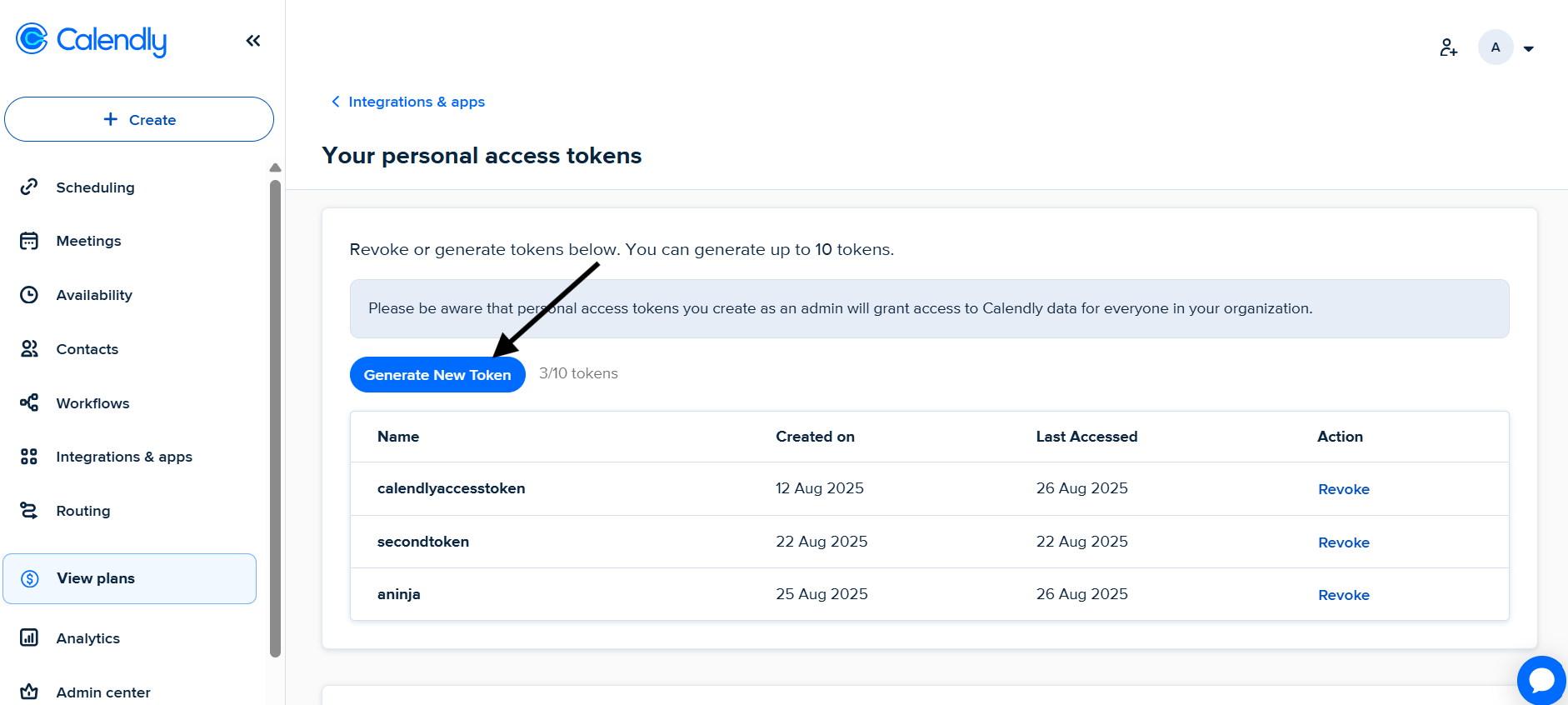
Click Generate New Token.
Enter a name for the token (e.g., aNinja Integration).
Click Create Token.
Copy the generated Personal Access Token.
Step 2: Connect Calendly to Your aNinja Account
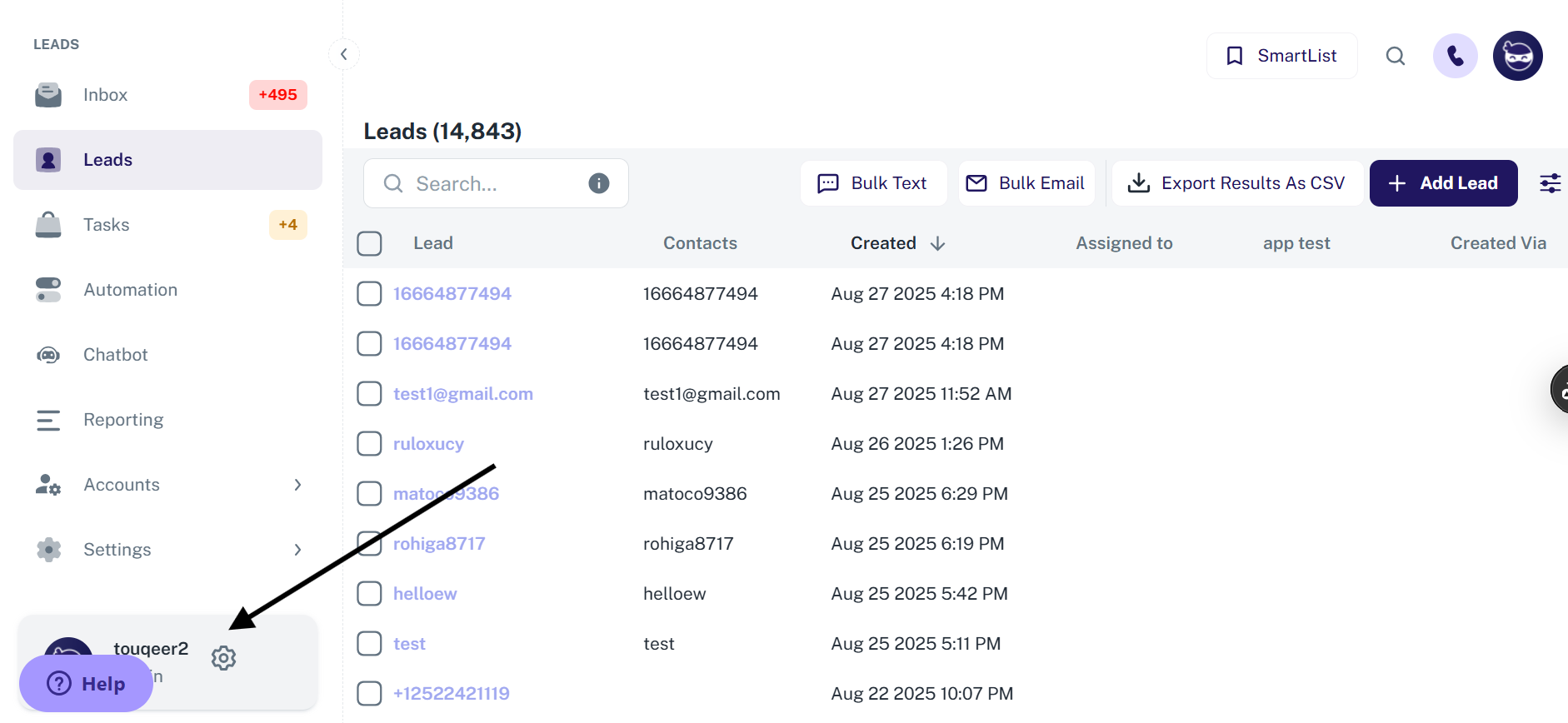
Log in to your aNinja account.
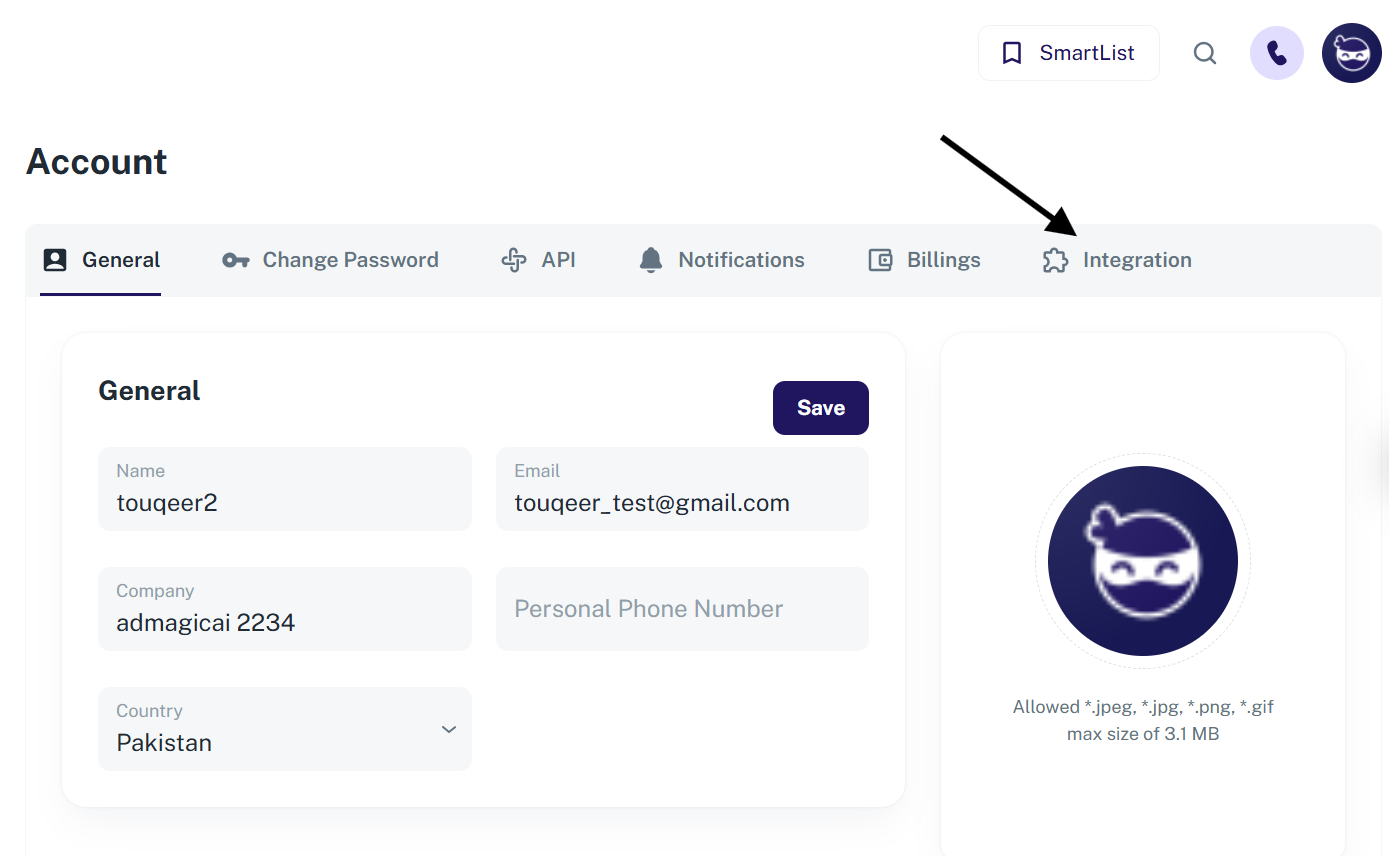
Navigate to Settings → Integrations.
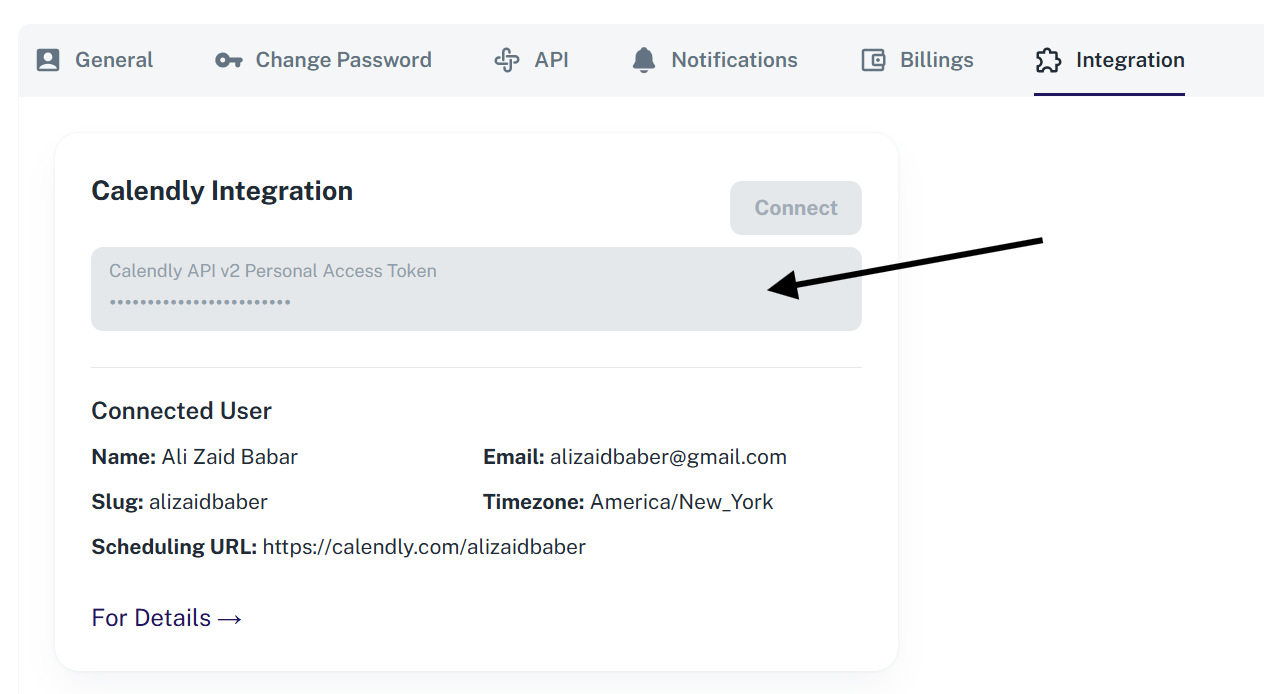
Locate the Calendly Integration section.
Paste the Personal Access Token you copied from Calendly.
Click Connect.